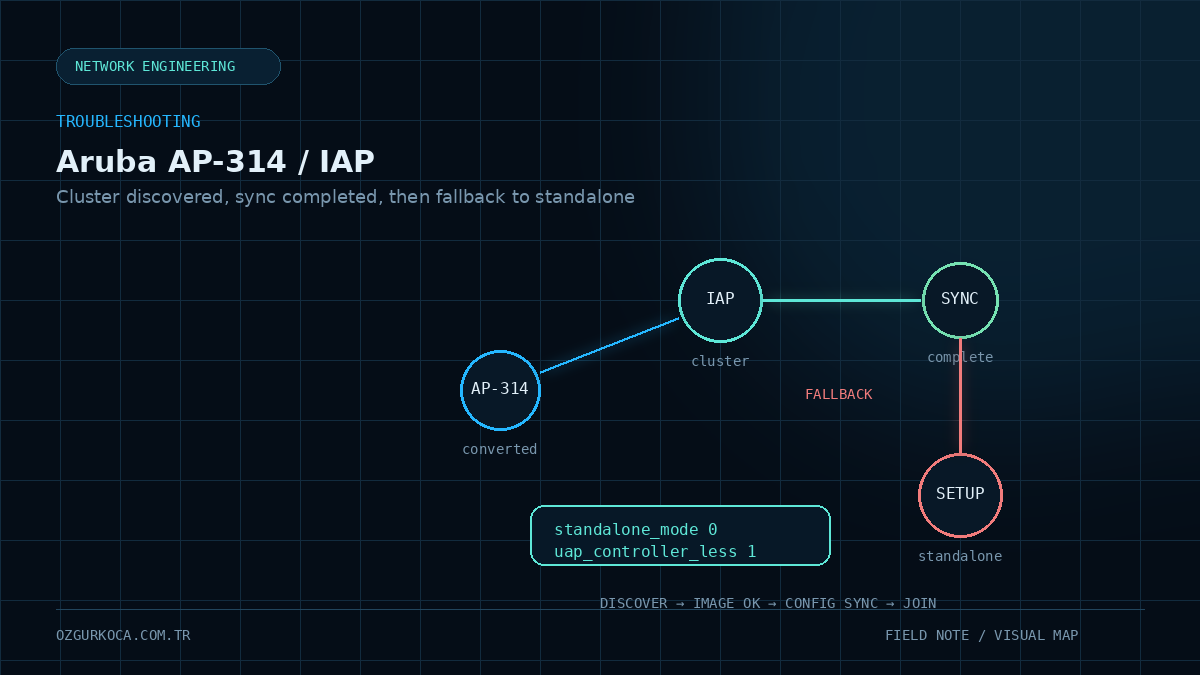
This article is based on a real Aruba AP-314 / IAP conversion troubleshooting case. MAC addresses, IP addresses, subnet details, and other environment-specific identifiers have been removed. The ap-env changes document the validated fix for this case and should not be applied blindly to other models or software versions.
01 / PROBLEM
Problem
A newly added Aruba AP-314 would not join the existing Aruba Instant cluster. Instead, it created its own SetMeUp environment and operated as Master.
The problem AP looked conceptually like this:
State         : Master
Name          : SetMeUp-<ID>
VC IP Address : 0.0.0.0
At first glance, this behavior can point toward firmware mismatch, allowlist, VLAN/IP reachability, or cluster-security issues. In this case, however, none of those was the root cause.
02 / ENVIRONMENT AND WHAT MADE THIS CASE DIFFERENT
Environment and What Made This Case Different
The device was an AP-314 that had previously been converted by loading an IAP image for Instant / controller-less operation.
Software version:
ArubaOS 6.5.4.27
Build 88283
The new AP and the existing Instant cluster were running the same firmware.
That detail matters because this was not a standard factory IAP cluster-join issue. The failure was related to the post-conversion environment behavior.
03 / 1. VALIDATE THE NORMAL CLUSTER JOIN CONDITIONS FIRST
1. Validate the Normal Cluster Join Conditions First
Before focusing on environment parameters, the standard cluster-join conditions were checked one by one.
Confirmed items:
- The new AP and the existing cluster were on the same firmware.
Swarm Mode = Clusterwas confirmed.- Allow New APs was enabled on the existing cluster.
- The new AP was also added manually to the allowlist.
- The new AP was receiving Master beacons.
- IP reachability from the new AP to the existing Master was successful.
- The AP and cluster were in the same IP subnet.
- DTLS was in the same state on both sides.
These results significantly narrowed the likelihood of a classic VLAN/DHCP/routing/firmware or allowlist problem.
04 / 2. CORE COMMANDS USED DURING TROUBLESHOOTING
2. Core Commands Used During Troubleshooting
The following commands were used:
show running-config
show allowed-aps
show election statistics
show swarm mode
show cluster-security
show ap-env
show summary
show ip interface brief
show version
show log system
show aps
These commands are most useful when evaluated together. A successful ping or a correct show allowed-aps output alone does not prove that the AP will complete cluster membership.
What did election statistics tell us?
A critical observation was that the new AP was receiving beacons from the existing Master.
Conceptually:
Master beacon received
        |
        v
AP can discover the cluster
        |
        v
Discovery is not completely broken
So the problem was not that the AP could not see the cluster at all.
05 / 3. VALIDATE THE ALLOWLIST EXPLICITLY
3. Validate the Allowlist Explicitly
The AP was also added manually to the existing Instant cluster allowlist:
configure terminal
allowed-ap <AP_MAC>
end
commit apply
Then the entry was verified with:
show allowed-apsThe issue continued after the AP was added to the allowlist, so the allowlist was not the root cause. This was an important elimination step.
06 / 4. THE LOGS REVEALED THE IMPORTANT CLUE
4. The Logs Revealed the Important Clue
Boot and cluster-join logs showed that the AP discovered the cluster, passed the image check, and completed config synchronization.
Important state transitions:
Swarm State Change from Startup to Found
Swarm State Change from Found to Image-ok
Swarm State Change from Image-ok to Complete
Up to this point, the process looked healthy.
Immediately afterward, however, the AP logged:
Activate failed, enabling factory SSID
Fall into standalone mode after config sync complete
Those two messages changed the direction of the investigation.
The sequence was effectively:
Cluster discovered
      ↓
Image accepted
      ↓
Config sync completed
      ↓
AP did not remain a cluster member
      ↓
Fallback to Standalone / SetMeUp
At that point, the focus moved away from basic network reachability and toward AP environment / conversion state.
07 / 5. WHY `SHOW AP-ENV` BECAME CRITICAL
5. Why show ap-env Became Critical
On the converted AP, the following command was reviewed:
show ap-envTwo environment parameters became important in this case:
standalone_mode
uap_controller_less
Although the AP could discover the cluster, its controller-less / Instant behavior after conversion was not in the expected state.
08 / 6. ROOT CAUSE
6. Root Cause
The root cause was that the device was not originally a factory IAP-314 SKU. An IAP image had previously been loaded onto the AP-314 as part of a conversion.
After conversion, the AP environment parameters did not produce the expected behavior for joining the existing Instant cluster.
As a result, the device:
- 01
discovered the existing cluster,
- 02
passed the image check,
- 03
completed config synchronization,
- 04
then fell back to standalone behavior,
- 05
and created its own
SetMeUpVirtual Controller.
The symptoms therefore looked like a network or cluster-join problem, but the actual issue was the AP's post-conversion operating state.
09 / 7. APPLIED FIX
7. Applied Fix
The following two environment parameters were applied on the converted AP:
ap-env standalone_mode 0
ap-env uap_controller_less 1
Their purpose in this case:
| Parameter | Purpose |
|---|---|
standalone_mode 0 | Disable the AP's standalone operating behavior |
uap_controller_less 1 | Make the AP prefer the controller-less / Instant operating path |
The AP was then restarted.
The supplied case summary does not establish these two parameters as a universal fix for every Aruba AP model or ArubaOS release. Before changing them, save the current show ap-env output, confirm that the device actually has a conversion history, and evaluate the change in the context of the exact model and software version.
10 / 8. VERIFICATION
8. Verification
After the AP restarted, it successfully joined the existing Instant cluster.
Verification was performed with:
show apsExpected result pattern:
<AP_MAC> <AP_IP> 314(indoor) accessIt was also confirmed that the AP no longer created its own SetMeUp environment and instead operated under the existing Virtual Controller / Instant cluster.
11 / 9. WHAT WAS RULED OUT?
9. What Was Ruled Out?
The troubleshooting path can be summarized as follows:
| Check | Result | Interpretation |
|---|---|---|
| Firmware | Same | Version mismatch ruled out |
| Swarm Mode | Cluster | AP was configured for cluster mode |
| Allow New APs | Enabled | New AP admission was open |
| Allowlist | AP added | Issue continued |
| Master beacon | Received | Cluster discovery was working |
| Master IP reachability | Successful | Basic L3 reachability existed |
| IP subnet | Same | No subnet separation issue |
| DTLS | Same state | No side-to-side difference |
| Config sync | Complete | AP passed the config stage |
| AP environment | Incorrect conversion state | Root cause found here |
12 / 10. RECOMMENDED TROUBLESHOOTING ORDER
10. Recommended Troubleshooting Order
When the same symptom appears, do not jump directly to changing ap-env.
A safer sequence is:
Does firmware match?
        ↓
Is Swarm Mode = Cluster?
        ↓
Are Allow New APs / allowlist correct?
        ↓
Are Master beacons received?
        ↓
Is the Master IP reachable?
        ↓
Are cluster-security / DTLS settings consistent?
        ↓
At which stage do the join logs fail?
        ↓
show ap-env
        ↓
Does the device have a conversion history?
This makes it easier to separate a standard cluster-join problem from a conversion-related environment issue.
13 / CONCLUSION
Conclusion
In this case, the Aruba AP-314:
- could discover the existing Instant cluster,
- was on the same firmware,
- received Master beacons,
- had IP reachability to the cluster,
- passed the allowlist checks,
- completed config synchronization,
but still returned to standalone SetMeUp mode.
The validated fix on the converted AP was:
ap-env standalone_mode 0
ap-env uap_controller_less 1
After the AP restarted, it successfully joined the existing Instant cluster.
Key lesson: If an AP discovers the cluster and completes config sync but still falls back to standalone mode, do not stay focused only on VLAN, firmware, and allowlist checks. On devices with a conversion history, show ap-env can become a critical part of the troubleshooting path.
Was this article useful?
Leave a quick signal. Feedback is used to improve existing guides and decide what deserves deeper coverage.