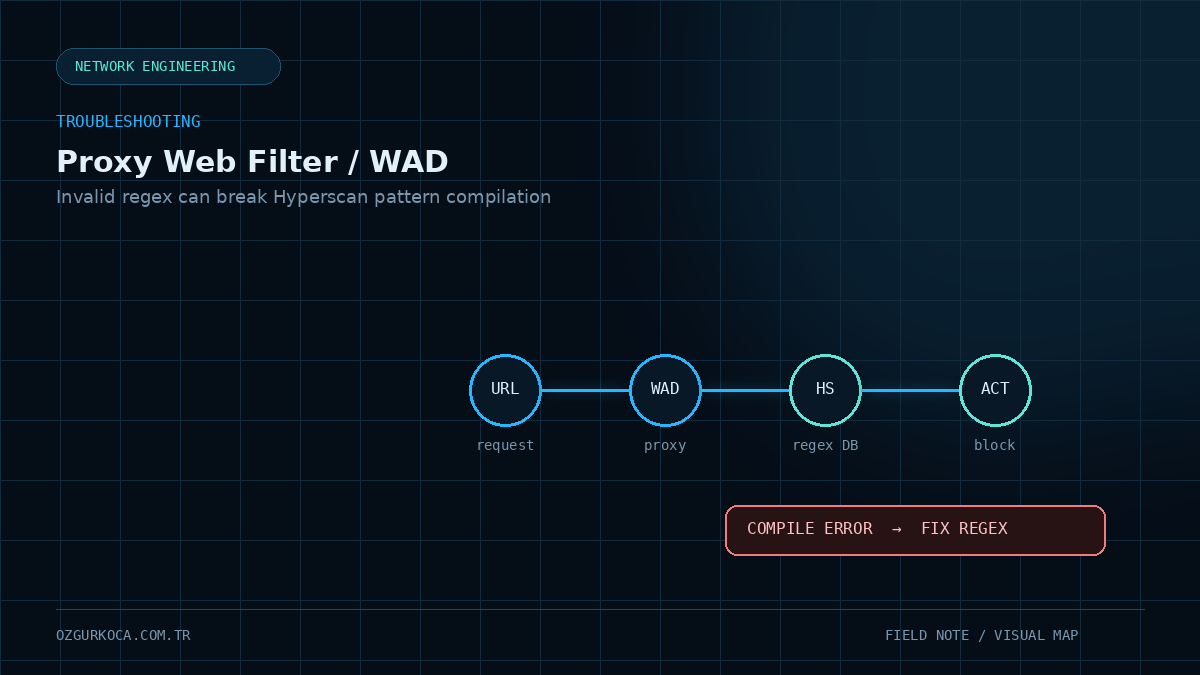
This case is based on a real troubleshooting exercise and technical feedback from the vendor engineering team. Environment-specific domains, IP addresses, hostnames, policy/profile names, and support case identifiers have been removed from the published version.
01 / PROBLEM
Problem
The goal was to block specific domains on FortiGate using a Static URL Filter.
With a policy using Proxy-Based inspection, specific domain entries were not blocked as expected. However, when a general * entry was added to the URL Filter table, all web access was successfully blocked.
The same target domain was also blocked when tested through a separate Flow-Based policy.
This narrowed the investigation away from a completely non-functional Web Filter and toward how specific patterns were being processed under Proxy-Based inspection.
02 / ENVIRONMENT AND SYMPTOM
Environment and Symptom
The investigated path included:
- FortiGate
- Proxy-Based inspection
- SSL Deep Inspection
- Web Filter
- Static URL Filter
- HTTPS web traffic
Observed behavior:
| Test | Result |
|---|---|
| Proxy-Based + Specific Domain | Expected block did not occur |
Proxy-Based + * | All sites were blocked |
| Flow-Based + Specific Domain | Domain was blocked |
This comparison confirmed that the firewall policy and Web Filter mechanism were not completely inactive.
03 / INITIAL ANALYSIS
Initial Analysis
The troubleshooting process followed these checks:
- 01
Confirmed that the client matched the expected firewall policy.
- 02
Verified that the correct Web Filter profile was attached to the policy.
- 03
Checked the Static URL Filter table and
Blockaction. - 04
Used a general
*rule to verify that Web Filter processing was active. - 05
Tested the same domain through a separate Flow-Based policy.
- 06
Collected WAD debug output to inspect Proxy-Based processing.
Because the Flow-Based test succeeded, the investigation moved away from a general policy or URL Filter failure and toward WAD processing and pattern matching under Proxy-Based inspection.
04 / WAD DEBUG
WAD Debug
The initial investigation used WAD debug for Proxy-Based traffic:
diagnose debug reset
diagnose debug console timestamp enable
diagnose debug application wad -1
diagnose debug enable
Debug was disabled after the controlled test:
diagnose debug disableWAD was able to see the SNI information for the HTTPS connection, but the expected Static URL Filter match still did not occur.
The debug data was then escalated to the vendor engineering team.
05 / ENGINEERING FINDINGS
Engineering Findings
The vendor engineering review identified Hyperscan regex database compilation errors.
Two different types of invalid regular expressions were found.
1. Regex containing invalid UTF-8
The debug output contained the following error:
Regex compile failed: Expression is not valid UTF-8.The affected pattern contained an unnecessary \ escape character before a quotation mark. Engineering confirmed that removing that escape character corrected the expression.
The important lesson is that a regex entry can appear valid in the configuration while still failing to compile in the regex engine used by WAD.
2. Invalid end-anchor placement
A second regex used the following structure:
(^/)test($//)Engineering recommended changing it to:
(^/)test$The $ character is used as an end anchor. Defining additional characters after that anchor resulted in:
Embedded end anchors not supported.06 / CONFIRMED ROOT CAUSE
Confirmed Root Cause
The root cause of this case is now confirmed:
The WAD/Hyperscan regex database used by Proxy-Based Web Filter contained invalid regex entries. These entries generated Hyperscan compilation errors and prevented specific Static URL Filter patterns from being processed as expected.
The identified regex problems were:
- Invalid escaping that resulted in an invalid UTF-8 expression
- An invalid regex structure with characters following a
$end anchor
Status: Resolved — the vendor engineering team confirmed invalid regex entries as the root cause.
07 / RESOLUTION
Resolution
The permanent fix was to correct the invalid regex entries.
Recommended workflow:
Review Static URL Filter regex entries
        ↓
Identify patterns causing Hyperscan compile errors
        ↓
Correct invalid escaping / anchor usage
        ↓
Restart WAD in a controlled maintenance window
        ↓
Check the compile output again
        ↓
Retest the Proxy-Based policy
Engineering recommended the following commands to check for additional invalid regex entries:
diag debug enable
diag test app wad 99
diag test app wad 2300
diag test app wad 1512diag test app wad 99 restarts the WAD process. Active sessions can be affected, so it should be executed during low traffic or a planned maintenance window.
Disable debug after the check is complete:
diagnose debug disable08 / WHAT HAPPENED TO THE FLOW-BASED WORKAROUND?
What Happened to the Flow-Based Workaround?
During the initial investigation, Flow-Based inspection successfully blocked the same domain, so it could be used as a temporary workaround and comparison point.
After the invalid regex entries were corrected, the issue was also resolved under Proxy-Based inspection.
Flow-Based inspection should therefore be considered a temporary troubleshooting workaround in this case, not the permanent fix.
09 / VERIFICATION
Verification
After the regex errors were corrected, the target domain was tested again through the Proxy-Based policy.
The expected behavior was restored:
Client Request
     ↓
Proxy-Based Policy
     ↓
WAD / Web Filter
     ↓
Valid Regex Match
     ↓
BLOCK
The case was confirmed as resolved.
10 / CHECKLIST FOR SIMILAR CASES
Checklist for Similar Cases
11 / KEY LESSON
Key Lesson
At first, the behavior looked like a Proxy-Based inspection or Static URL Filter software issue.
The actual cause was that invalid regular expressions in the URL Filter table could not be compiled by Hyperscan.
This case highlights an important point:
A regex being present in the GUI or CLI does not mean that the underlying matching engine has successfully compiled it.
When troubleshooting Proxy-Based filtering, checking the firewall policy, SSL inspection, and domain syntax may not be enough. The WAD/Hyperscan compilation state should also be part of the investigation.
12 / CONCLUSION
Conclusion
In this case, specific domains were not being blocked under FortiGate Proxy-Based Web Filter because of invalid regex entries in the Static URL Filter configuration.
Those entries generated WAD/Hyperscan compilation errors. After the regular expressions were corrected and WAD processing was rechecked, Proxy-Based domain blocking worked as expected.
Was this article useful?
Leave a quick signal. Feedback is used to improve existing guides and decide what deserves deeper coverage.