This guide is based on a real implementation. Environment-specific VLANs, interfaces, and device identifiers are shown with safe placeholder values.
01 / GOAL
Goal
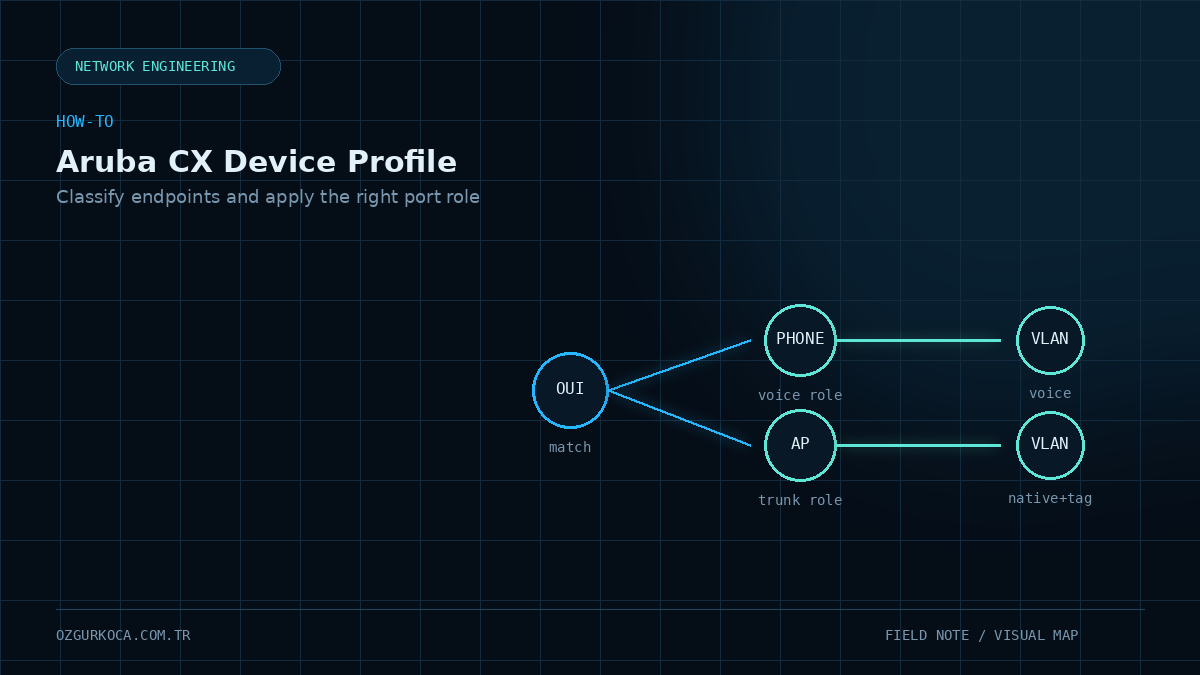
The goal of this configuration is to classify devices connected to an Aruba CX switch by the OUI portion of their MAC address and automatically apply the appropriate port-access role based on the matched device type.
This example defines three behaviors:
- If a phone matches, apply
VOICE-ROLE. - If an access point matches, apply
AP-ROLE. - If no specific device profile matches, use
DEFAULT-ROLEas the fallback role.
Device connects to switch port
          |
          v
      MAC OUI match
          |
     +----+----+
     |         |
   Phone       AP
     |         |
     v         v
VOICE-ROLE   AP-ROLE
     |         |
     v         v
VOICE_VLAN  AP_NATIVE_VLAN + Trunk
02 / EXAMPLE VALUES USED
Example Values Used
Values that vary by environment are represented with the following placeholders.
| Placeholder | Description |
|---|---|
VOICE_VLAN | Access VLAN used by phones |
DEFAULT_VLAN | Default/fallback access VLAN |
AP_NATIVE_VLAN | Native VLAN for the access point trunk |
PHONE_OUI_1 | MAC OUI to match the phone group |
AP_OUI_1..N | MAC OUI values to match the access point group |
ACCESS_PORT_RANGE | Switch port range where the device profile is applied |
Replace the placeholder values in angle brackets with the VLAN, OUI, and interface values that match your own environment before applying the configuration.
03 / CREATE THE VOICE ROLE
Create the Voice Role
Create the port-access role that will be applied to phones.
configure terminal

port-access role VOICE-ROLE
    vlan access <VOICE_VLAN>
    exit
The access VLAN defined in this role represents the VLAN used for the voice network.
04 / CREATE THE DEFAULT ROLE
Create the Default Role
Create the role that will be used as the fallback when a device does not match a specific profile.
port-access role DEFAULT-ROLE
    vlan access <DEFAULT_VLAN>
    exit
This role will later be referenced as the fallback-role in the interface configuration.
05 / CREATE THE PHONE MAC GROUP
Create the Phone MAC Group
Create a MAC group so phones can be matched by their MAC OUI.
mac-group PHONE-MAC-GROUP
    seq 10 match mac-oui <PHONE_OUI_1>
    exit
If multiple phone OUI values are required, add additional entries under the same group with different sequence numbers.
mac-group PHONE-MAC-GROUP
    seq 10 match mac-oui <PHONE_OUI_1>
    seq 20 match mac-oui <PHONE_OUI_2>
    seq 30 match mac-oui <PHONE_OUI_3>
    exit
06 / CREATE THE PHONE DEVICE PROFILE
Create the Phone Device Profile
Create a device profile that associates the phone MAC group with VOICE-ROLE.
port-access device-profile PHONE-PROFILE
    associate role VOICE-ROLE
    associate mac-group PHONE-MAC-GROUP
    enable
    exit
The relationship is:
PHONE-MAC-GROUP
       |
       v
 PHONE-PROFILE
       |
       v
   VOICE-ROLE
       |
       v
   VOICE_VLAN
07 / CREATE THE ACCESS POINT ROLE
Create the Access Point Role
For access points, define a role that applies trunk behavior instead of an access VLAN.
port-access role AP-ROLE
    vlan trunk native <AP_NATIVE_VLAN>
    vlan trunk allowed all
    exit
This configuration assigns a native VLAN to the AP connection and allows VLANs to traverse the trunk.
The original implementation used vlan trunk allowed all. In other production environments, evaluate which VLANs are actually required and restrict the allowed VLAN list where possible.
08 / CREATE THE ACCESS POINT MAC GROUP
Create the Access Point MAC Group
Place the OUI values used by access points in a separate MAC group.
mac-group AP-MAC-GROUP
    seq 10 match mac-oui <AP_OUI_1>
    seq 20 match mac-oui <AP_OUI_2>
    seq 30 match mac-oui <AP_OUI_3>
    exit
The real implementation associated multiple OUI values with the same AP group.
09 / CREATE THE ACCESS POINT DEVICE PROFILE
Create the Access Point Device Profile
Create a profile that associates the AP MAC group with AP-ROLE.
port-access device-profile AP-PROFILE
    associate role AP-ROLE
    associate mac-group AP-MAC-GROUP
    enable
    exit
Flow:
AP-MAC-GROUP
     |
     v
 AP-PROFILE
     |
     v
   AP-ROLE
     |
     v
AP_NATIVE_VLAN + Trunk
10 / INTERFACE CONFIGURATION
Interface Configuration
Prepare the access ports where the device profile mechanism will operate.
interface <ACCESS_PORT_RANGE>
    no routing
    vlan access <DEFAULT_VLAN>
    port-access fallback-role DEFAULT-ROLE
    port-access device-profile mode block-until-profile-applied
    exit
In this section:
- The interface is configured as a Layer 2 port.
- The initial access VLAN is set to
DEFAULT_VLAN. DEFAULT-ROLEis assigned as the fallback role.- The port is configured to wait for device-profile evaluation before the relevant profile is applied.
11 / COMPLETE EXAMPLE CONFIGURATION
Complete Example Configuration
The following block shows the full configuration with environment-neutral placeholders.
configure terminal

port-access role VOICE-ROLE
    vlan access <VOICE_VLAN>
    exit

port-access role DEFAULT-ROLE
    vlan access <DEFAULT_VLAN>
    exit

mac-group PHONE-MAC-GROUP
    seq 10 match mac-oui <PHONE_OUI_1>
    exit

port-access device-profile PHONE-PROFILE
    associate role VOICE-ROLE
    associate mac-group PHONE-MAC-GROUP
    enable
    exit

port-access role AP-ROLE
    vlan trunk native <AP_NATIVE_VLAN>
    vlan trunk allowed all
    exit

mac-group AP-MAC-GROUP
    seq 10 match mac-oui <AP_OUI_1>
    seq 20 match mac-oui <AP_OUI_2>
    seq 30 match mac-oui <AP_OUI_3>
    exit

port-access device-profile AP-PROFILE
    associate role AP-ROLE
    associate mac-group AP-MAC-GROUP
    enable
    exit

interface <ACCESS_PORT_RANGE>
    no routing
    vlan access <DEFAULT_VLAN>
    port-access fallback-role DEFAULT-ROLE
    port-access device-profile mode block-until-profile-applied
    exit
12 / HOW THE DESIGN WORKS
How the Design Works
                       Aruba CX Port
                            |
                            v
                      Device connects
                            |
                            v
                       MAC OUI check
                            |
                +-----------+-----------+
                |                       |
                v                       v
        PHONE-MAC-GROUP          AP-MAC-GROUP
                |                       |
                v                       v
          PHONE-PROFILE             AP-PROFILE
                |                       |
                v                       v
           VOICE-ROLE                 AP-ROLE
                |                       |
                v                       v
           VOICE_VLAN       AP_NATIVE_VLAN + Trunk

Device does not match a specific profile
                |
                v
          DEFAULT-ROLE
                |
                v
          DEFAULT_VLAN
13 / VALIDATION
Validation
No separate validation command set was captured with this configuration, so validation is based on the intended behavior of the configuration itself.
- A device matching the phone OUI should be associated with
VOICE-ROLE. - A device matching the AP OUI group should be associated with
AP-ROLE. - A device with no specific device-profile match should use the
DEFAULT-ROLEfallback behavior. - When the AP role is applied, the port should receive the configured native VLAN and trunk behavior.
14 / SECURITY NOTE
Security Note
MAC OUI matching is used here to classify device types and automatically apply a role. This configuration does not include 802.1X or another authentication mechanism.
Therefore, this article covers only the shared OUI-based device profile and role assignment configuration.
15 / CONCLUSION
Conclusion
In this Aruba CX implementation, phones and access points are classified into separate mac-group objects based on MAC OUI values, and those groups are mapped to different port-access role objects through device-profile configuration.
The result is a single access-port model that can apply different Layer 2 behaviors based on device type:
| Device Group | Device Profile | Role | Target Behavior |
|---|---|---|---|
| Phone | PHONE-PROFILE | VOICE-ROLE | VOICE_VLAN access |
| Access Point | AP-PROFILE | AP-ROLE | AP_NATIVE_VLAN + trunk |
| Other | Fallback | DEFAULT-ROLE | DEFAULT_VLAN access |
This design centralizes device-type-based role and VLAN behavior under one port-access model.
Was this article useful?
Leave a quick signal. Feedback is used to improve existing guides and decide what deserves deeper coverage.