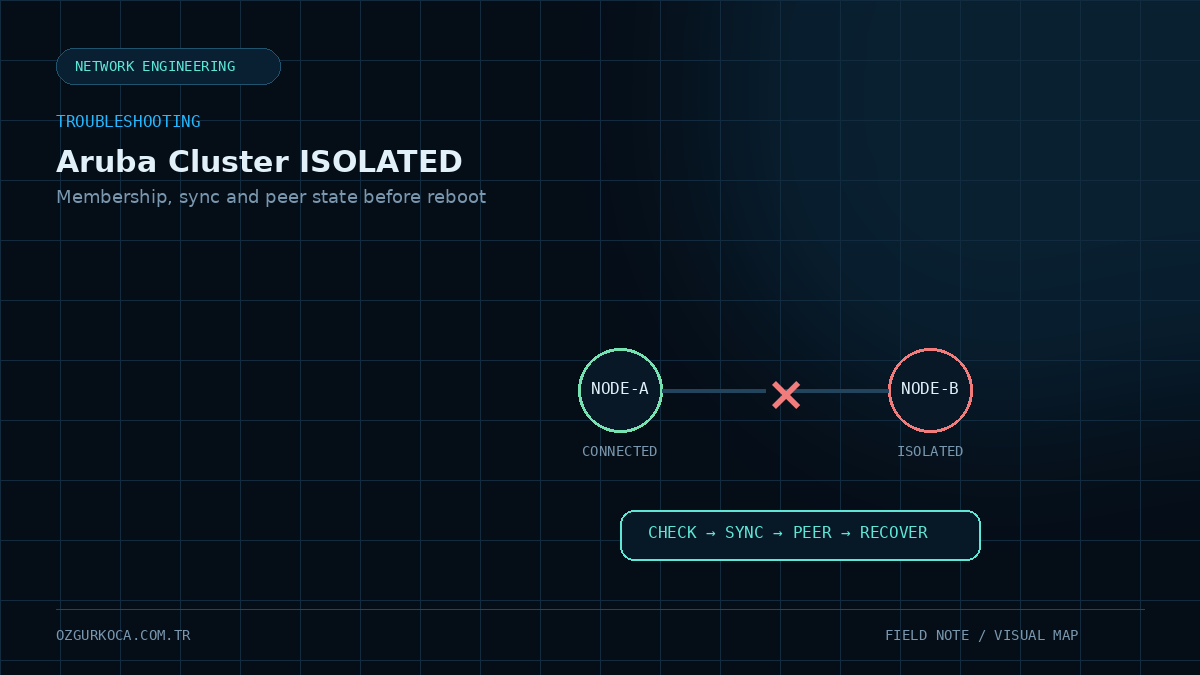
This guide is based on the troubleshooting approach used in real controller-cluster investigations. Environment-specific controller, cluster, location, IP, and device names have been removed from the published version.
01 / PROBLEM
Problem
When a member of an ArubaOS 8 controller cluster enters an ISOLATED state, the impact can extend beyond that controller and affect AP and client resiliency.
Healthy example:
Controller-A  → CONNECTED (Leader)
Controller-B  → CONNECTED (Member)
A problem state may look like:
Controller-A  → CONNECTED
Controller-B  → ISOLATED
or, when peer communication cannot be established, the node may even see itself locally as:
ISOLATED (Leader)The important point is:
The first response to an ISOLATED node should not be a reboot. First determine why the node lost cluster communication with its peers.
02 / HOW THE CLUSTER ARCHITECTURE WORKS
How the Cluster Architecture Works
In ArubaOS 8, Mobility Conductor provides centralized management and configuration. The Managed Device controllers that terminate APs form the cluster members.
Simplified view:
              Mobility Conductor
                     |
          +----------+----------+
          |                     |
          v                     v
    Controller-A           Controller-B
        Leader                Member
          |                     |
          +-------- Cluster ----+
                    |
                 AP / Client
One healthy node assumes the Leader role while other healthy nodes appear as Member.
In ArubaOS 8 cluster output, the role is generally shown as Member rather than the informal term “Follower.” This guide therefore uses Leader / Member terminology.
03 / WHAT DOES ISOLATED MEAN?
What Does ISOLATED Mean?
ISOLATED indicates that the controller is not maintaining the expected cluster membership and peer communication with the rest of the cluster.
The state itself does not identify the root cause.
Investigation areas include:
Cluster Membership
       ↓
Peer Communication
       ↓
Secure Cluster Communication / Heartbeat
       ↓
Management & Config Sync
       ↓
Node / Cluster State
Intermediate peer states may also appear, for example:
DISCONNECTED
SECURE-TUNNEL-NEGOTIATING
ISOLATED
So do not evaluate only the word ISOLATED; compare the cluster view from both controllers.
04 / 1. CHECK CLUSTER MEMBERSHIP FIRST
1. Check Cluster Membership First
One of the most useful initial commands is:
show lc-cluster group-membershipPay particular attention to:
- Self-node state
- Peer-node state
- Leader / Member role
- Peer connection state
- Heartbeat information, where available
- Whether the cluster profile is active
Healthy example:
self  <CONTROLLER_A>  CONNECTED (Leader)
peer  <CONTROLLER_B>  CONNECTED (Member)
Problem example:
self  <CONTROLLER_A>  ISOLATED (Leader)
peer  <CONTROLLER_B>  DISCONNECTED
or:
peer <CONTROLLER_B> SECURE-TUNNEL-NEGOTIATINGSeeing ISOLATED (Leader) does not mean the node is a healthy leader. A node that cannot communicate with its peers may elect or view itself as leader in its own local cluster view.
05 / 2. CHECK CONFIG ID AND CONFIGURATION STATE
2. Check Config ID and Configuration State
During a cluster issue, also confirm whether each controller is receiving the correct management configuration.
On Mobility Conductor:
show switchesis an important reference.
Review these fields:
Status
Configuration State
Config Sync Time
Config ID
For a healthy Managed Device, the expected pattern is:
Status              → up
Configuration State → UPDATE SUCCESSFUL
Config ID            → expected current value
Do not evaluate Config ID alone; review it together with Configuration State.
Example comparison:
| Check | Controller-A | Controller-B |
|---|---|---|
| Status | up | up |
| Configuration State | UPDATE SUCCESSFUL | UPDATE SUCCESSFUL |
| Config ID | same/current | same/current |
| Cluster State | CONNECTED | ISOLATED |
If configuration synchronization is healthy while cluster state is not, the investigation can be narrowed toward peer and cluster communication.
06 / 3. CHECK PEER COMMUNICATION
3. Check Peer Communication
If cluster members cannot see each other correctly, validate the underlying communication path first.
Suggested order:
Controller-A
    |
    |  IP Reachability
    v
Controller-B
    |
    +-- Routing
    +-- VLAN / L2-L3 Path
    +-- ACL / Firewall
    +-- MTU
    +-- Cluster secure communication
The objective is not simply to prove that ping works.
ICMP reachability:
Ping → SUCCESSdoes not prove that every communication mechanism used by the cluster is healthy.
If show lc-cluster group-membership shows a peer stuck in:
SECURE-TUNNEL-NEGOTIATINGthen cluster peer communication must be investigated beyond basic IP reachability.
07 / 4. EVALUATE CONFIG / DATABASE SYNC SEPARATELY
4. Evaluate Config / Database Sync Separately
Cluster membership and management configuration synchronization are related, but they should be verified independently during troubleshooting.
Simple model:
Mobility Conductor
       |
       +-- Is Controller-A config current?
       |
       +-- Is Controller-B config current?
       |
       v
Are cluster members healthy with each other?
If show switches indicates:
- An unexpected Config ID,
- An unsuccessful Configuration State,
- An unhealthy Managed Device management relationship,
resolve that issue first.
If configuration synchronization is healthy but the node remains ISOLATED, shift focus to peer communication and cluster state.
Do not conclude that “database sync is broken” only from AP distribution or a single cluster screen. Validate config state, peer state, and cluster membership together first.
08 / 5. COMPARE LEADER / MEMBER STATE FROM BOTH SIDES
5. Compare Leader / Member State from Both Sides
Collecting output from only one controller can be misleading in a broken cluster.
Run:
show lc-cluster group-membershipon both nodes and compare the results.
For example:
Controller-A view:
A → ISOLATED (Leader)
B → DISCONNECTED

Controller-B view:
A → DISCONNECTED
B → ISOLATED (Leader)
This strongly suggests that neither node sees the other as a healthy cluster peer.
In a healthy cluster, both sides should have a consistent view:
Controller-A → CONNECTED (Leader)
Controller-B → CONNECTED (Member)
09 / 6. BEFORE STARTING RECOVERY
6. Before Starting Recovery
Answer these questions first:
- Is peer IP reachability available?
- Is the cluster membership profile correct?
- Are both nodes running the expected software level?
- Is the Mobility Conductor-to-Managed Device relationship healthy?
- Is Configuration State
UPDATE SUCCESSFUL? - Are Config IDs at the expected level?
- Is the peer DISCONNECTED, or stuck during negotiation?
- Was there a recent cluster/uplink/VLAN/ACL change?
Deleting, re-adding, or rebooting a node before these checks may hide the root cause.
10 / RECOVERY APPROACH
Recovery Approach
A safer recovery process moves from the least intrusive action to the most intrusive.
Stage 1 — Fix the Underlying Infrastructure Problem
If the issue is caused by:
- routing,
- VLAN,
- ACL,
- management connectivity,
- peer reachability,
fix that layer first.
Then observe whether the cluster recovers on its own.
Stage 2 — Validate Config Sync
On Mobility Conductor, the node should return to:
UPDATE SUCCESSFULand receive the current configuration.
Stage 3 — Recheck Cluster Membership
Run:
show lc-cluster group-membershipagain.
Expected result:
CONNECTED (Leader)
CONNECTED (Member)
Stage 4 — Controlled Restart
If peer communication and config synchronization appear healthy but the node still cannot rejoin the cluster, a controlled restart/reboot may be considered after evaluating the maintenance window and service impact.
This should not be the first troubleshooting step.
Stage 5 — Advanced Recovery
Rebuilding cluster membership, re-associating a Managed Device, or performing disaster-recovery operations can have significant service impact depending on software version and topology.
Do not perform advanced recovery without a current configuration backup and a procedure validated for the exact ArubaOS release. In production, involving Aruba TAC may be the safer option.
11 / RECOMMENDED TROUBLESHOOTING FLOW
Recommended Troubleshooting Flow
ISOLATED Node
      |
      v
show lc-cluster group-membership
      |
      +-- Peer CONNECTED? ------ Yes ------+
      |                                    |
      No                                   v
      |                              Config Sync
      v                                    |
Peer Communication                         v
      |                               show switches
      v                                    |
Routing / VLAN / ACL                       v
      |                              UPDATE SUCCESSFUL?
      v                                    |
Secure Cluster State                       v
      |                              Cluster Re-check
      +-------------------------+----------+
                                |
                                v
                         If recovery is required,
                         use controlled action
12 / VERIFICATION
Verification
Recovery should not be considered complete simply because the node is up.
Validate all of the following:
13 / CHECKLIST
Checklist
A short checklist for recurring incidents:
[ ] show lc-cluster group-membership
[ ] Compare cluster view from both nodes
[ ] show switches
[ ] Check Config ID
[ ] Check Configuration State
[ ] Validate peer IP reachability
[ ] Check routing / VLAN / ACL path
[ ] Review secure tunnel / heartbeat state
[ ] Review recent changes
[ ] Take a config backup before recovery
[ ] Validate AP and client state after recovery
14 / HOW SHOULD THE ROOT CAUSE BE WRITTEN?
How Should the Root Cause Be Written?
ISOLATED by itself is not a root cause; it is a state/symptom.
A root cause should be documented only after a specific technical reason is confirmed, such as:
Peer connectivity problem
Management/config sync problem
Cluster secure communication problem
Incorrect or incomplete cluster configuration
Vendor-confirmed software defect
15 / CONCLUSION
Conclusion
When an Aruba controller cluster node enters ISOLATED state, the most important principle is to separate the problem into layers instead of rebooting immediately.
A healthy order is:
Cluster Membership
        ↓
Config State / Config ID
        ↓
Peer Communication
        ↓
Cluster State
        ↓
Recovery
        ↓
AP / Client Verification
This approach preserves root-cause evidence, reduces unnecessary service disruption, and makes repeated incidents faster to diagnose.
Was this article useful?
Leave a quick signal. Feedback is used to improve existing guides and decide what deserves deeper coverage.